
Innovating Lead Generation, Serving Businesses & Marketers Worldwide

Here in this guide, you will see how to change the font size/colors. Follow the instructions below to achieve this.
The different text elements in the form can be changed in font type, font size, weight, color, and alignment. Head over to the design section and typography.
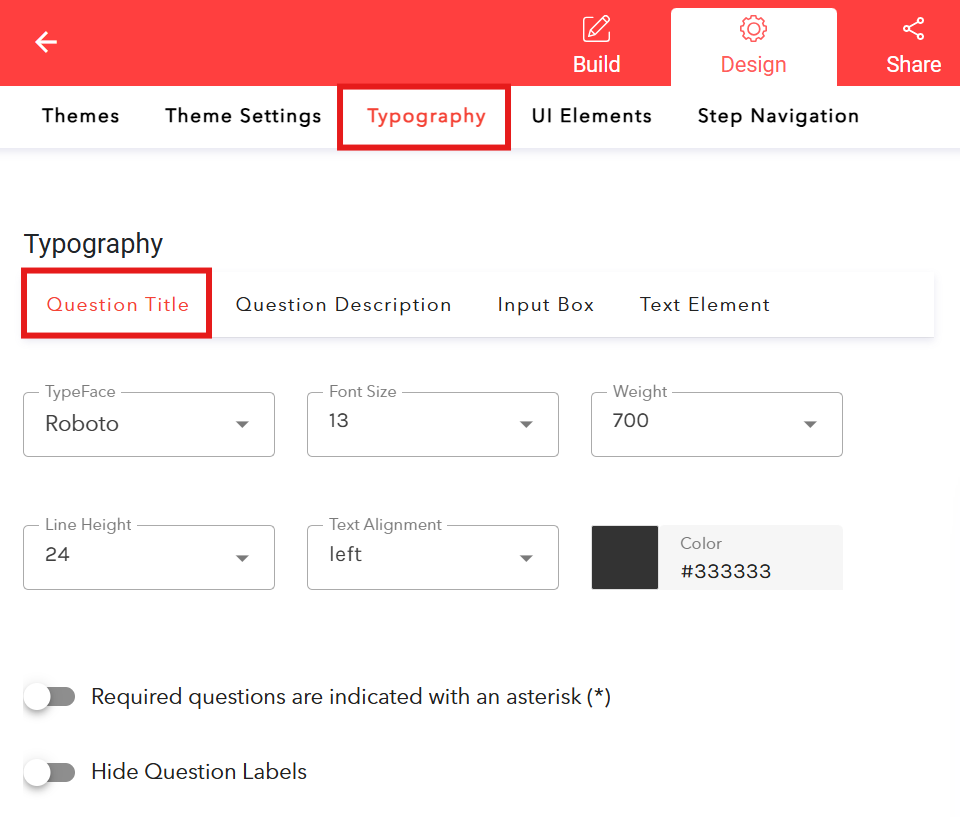
Here you see the tabs for:
Question Title
Question DescriptionInput Box
Text Element
Go to the tab of the text category you want to edit and you can make any changes to font type, font size, weight, color, and alignment.
Hit "Save" to keep your design changes.

