
Innovating Lead Generation, Serving Businesses & Marketers Worldwide

This short guide will help you understand how you can use LeadGen forms in your Clickfunnels page builder
Step 1: Copy Embed Code
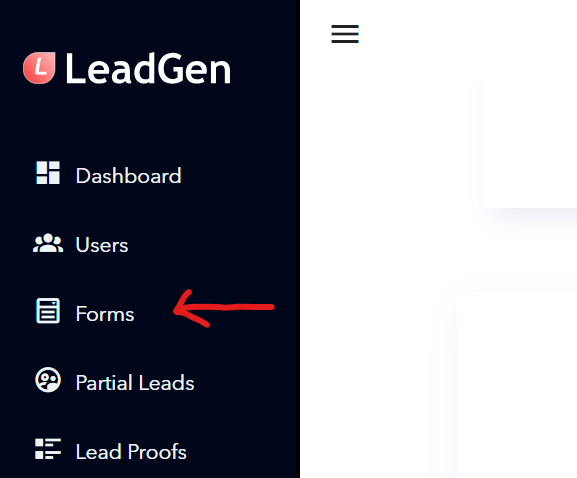
You need to go to the form page first, so the initial step is to click on “Forms” in the sidebar.
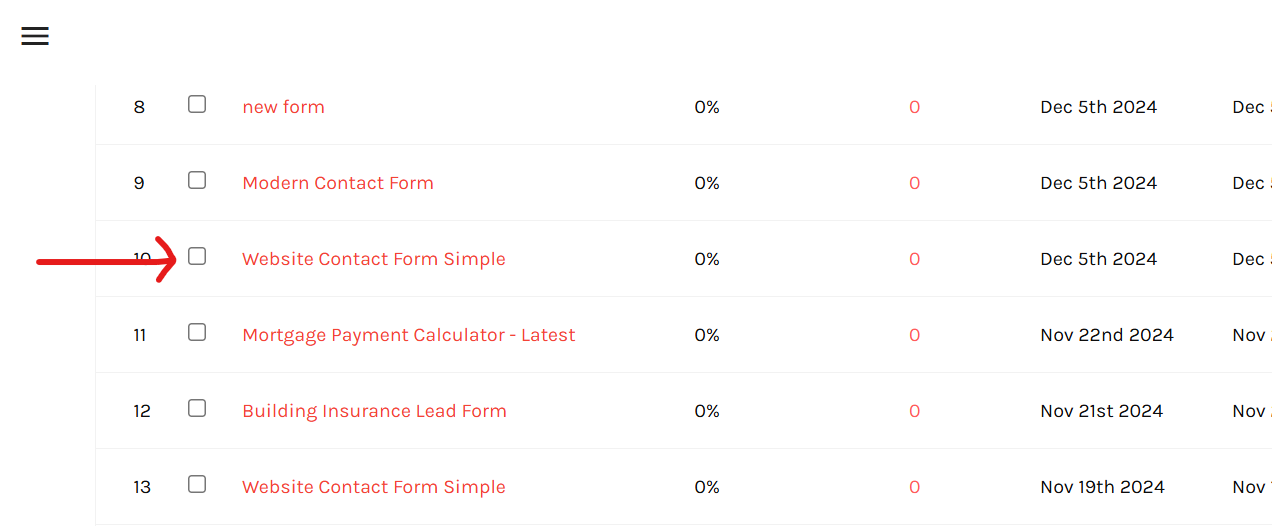
Please select the form that you want to embed from the list by clicking on its name.
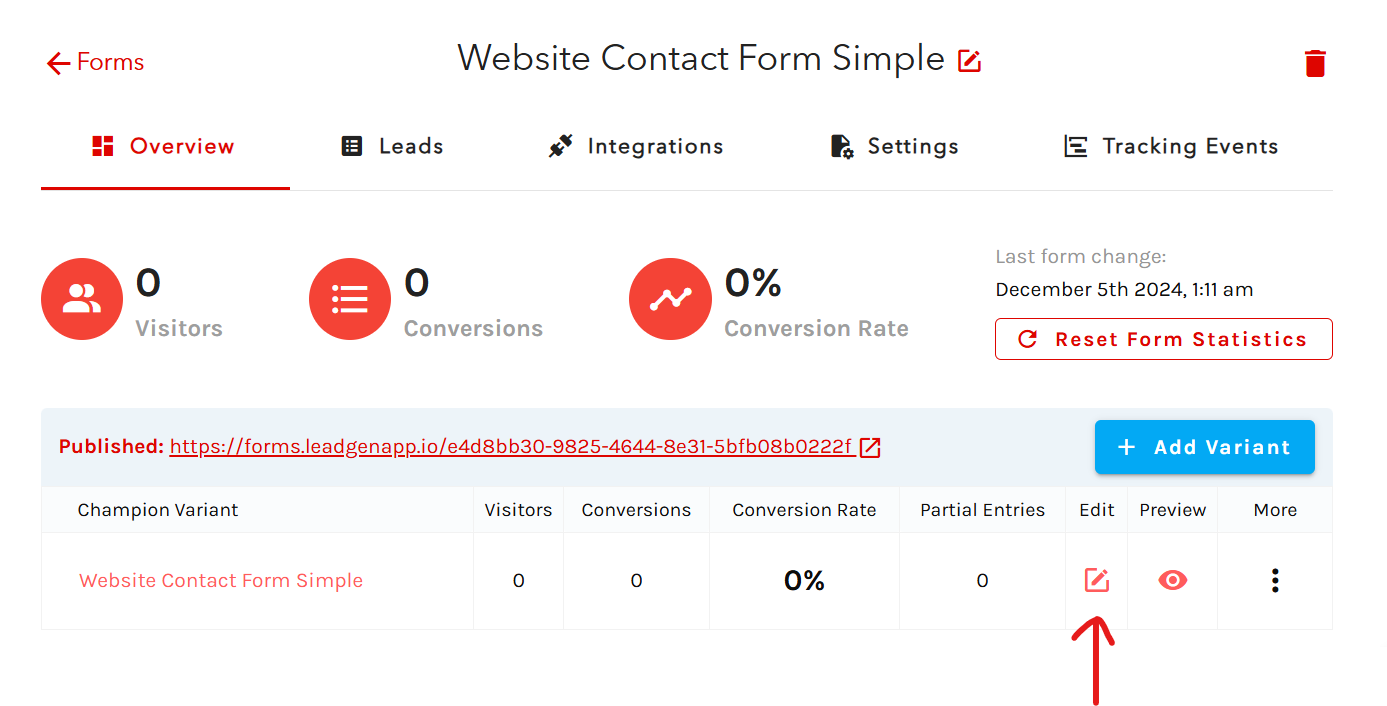
Click on the “Edit” icon to access the editor section for the form.
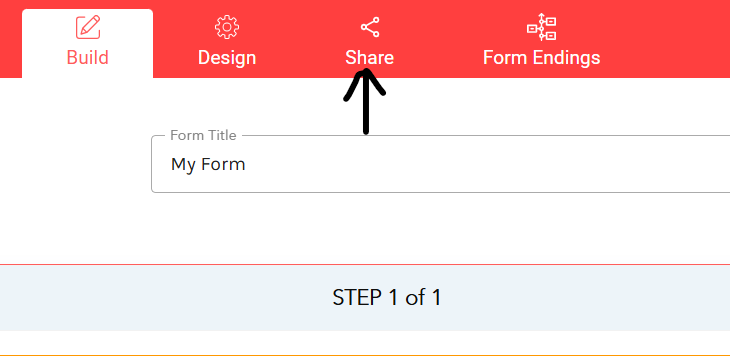
Click on “Share” in the header.
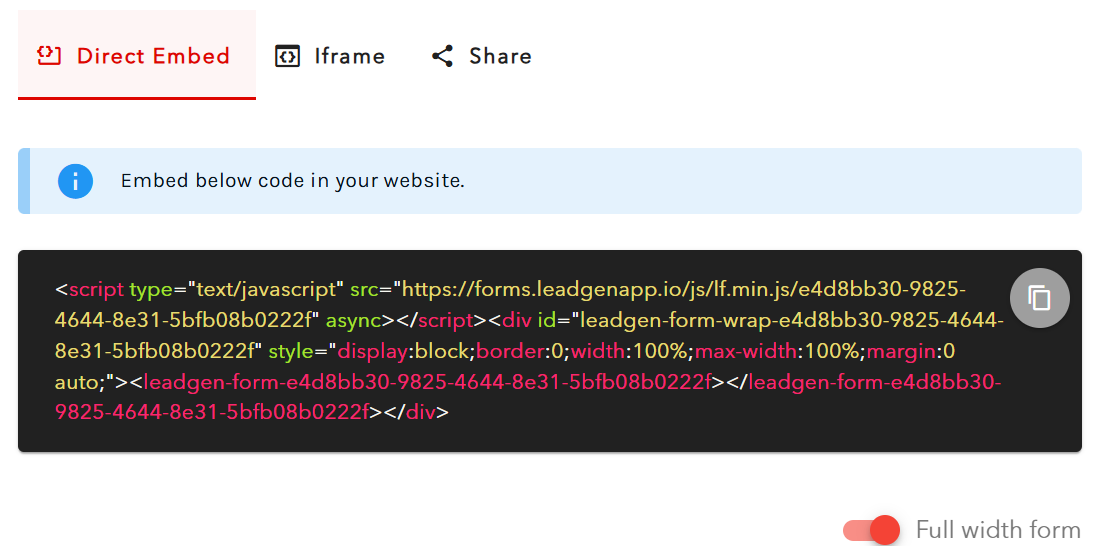
Now you can see the script for embedding the form. The next steps are copying the code and pasting it into your Clickfunnels website, exactly where you want to embed the form on the page.For the direct embed code, a toggle called “Full Width Form,” which you can turn on/off to change form width type, based on how you want the form to look on the page.
If you need to embed the form in an iframe, you can do that by selecting the "iframe" tab and copying this script instead of the above. There's no "Full Width" option here, but you can manually change the form's height and weight. If you want to add a display to your form, there's an extra toggle for styling.
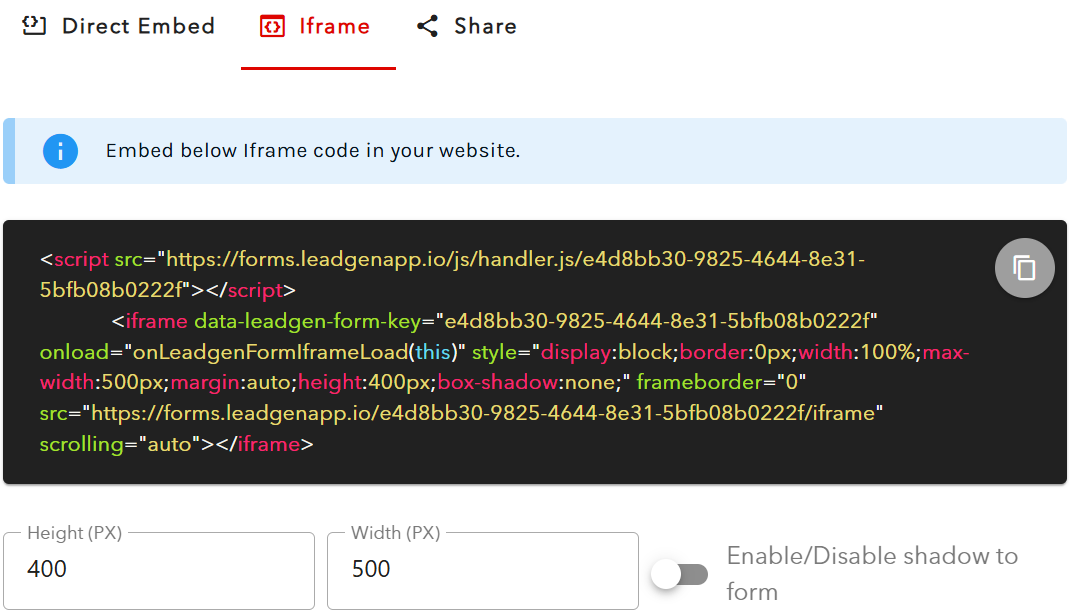
The difference between the two publishing options, embed, and iframe, is that the embedded option allows you to pass more attributes, a feature mainly used by marketers for tracking reasons.
Step 2: Use the Clickfunnels HTML widget
Go into your Clickfunnels account and install the JS/HMTL element into your page, at the place where you want to paste the LeadGen form into.Check the Clickfunnels help video below to understand how to do it:
Step 3: Paste LeadGen form embed code into the Clickfunnels HTML widget
Finally, simply paste the LeadGen form embed code that you copied into the Clickfunnels HTML widget and save your page.Now open up the page in the published view in a new browser to see how the page appears to visitors and how the form loads. You can make adjustments to height and width using the form embed code settings, to achieve the best possible look of the form that blends in with the page.

