
Innovating Lead Generation, Serving Businesses & Marketers Worldwide

It is possible to download leads of your forms and export them to a file or spreadsheet.From the lead section, you can export leads to csv and json files that you can then open via spreadsheet tools like Microsoft Excel or Google Sheets.
Step 1:
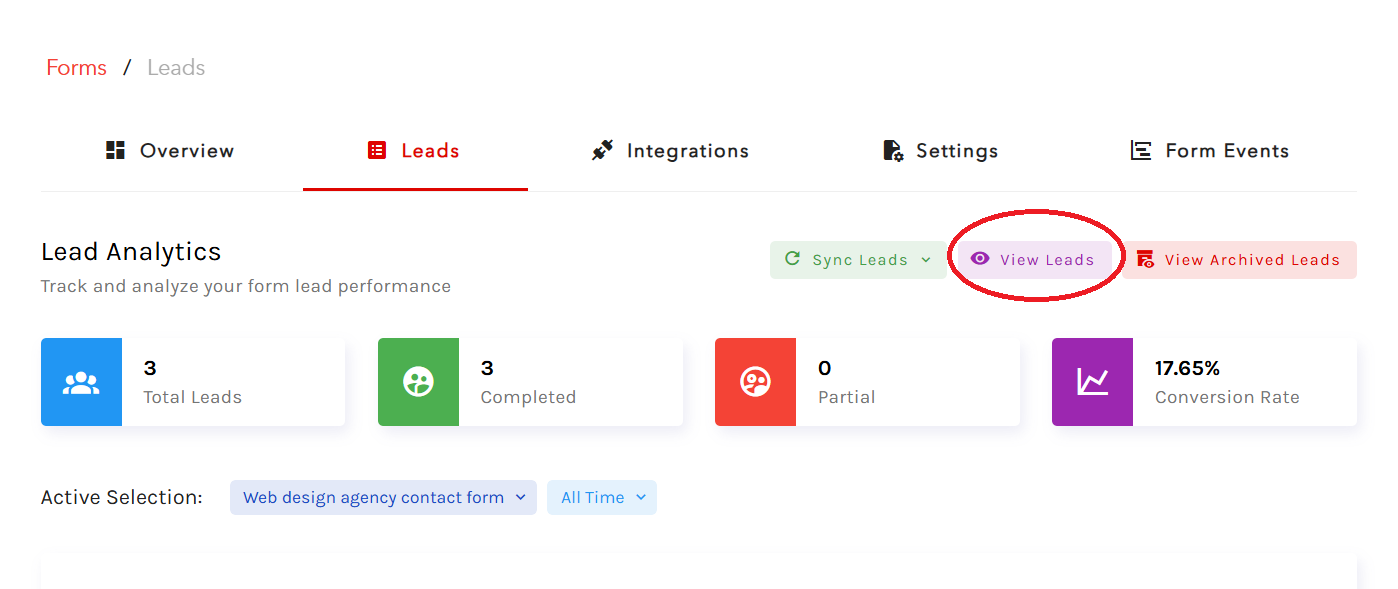
Open your form and click on "Leads" to view your leads.

Step 2:
Click on View Leads to view your leads.
Step 3:
In your form lead list, you will get the 'Export CSV' and 'Export JSON' options on the screen. Click on the tab, and your file will be downloaded.


